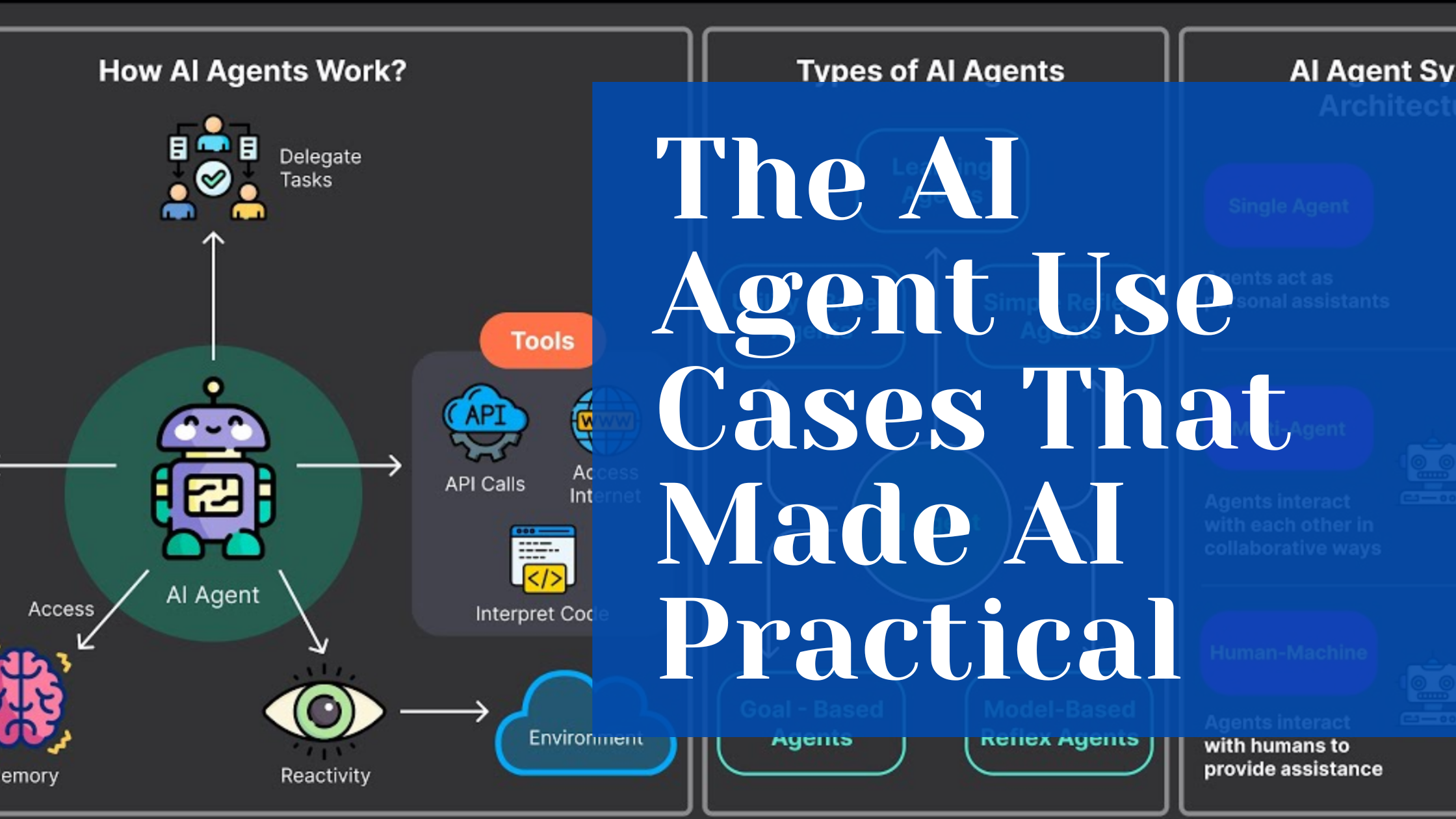
Can you relate? AI only started to make sense when AI agents showed up.
At first, using AI as a writer meant more work. I’d ask ChatGPT to write something, then spend time verifying facts, adjusting tone, assessing sentiment, adhering to brand guidelines, and revising paragraphs. Not exactly the “easy button” I was hoping for.
But then I saw what agents could do. I started seeing examples of them making calls, pulling live data, and handling multi-step tasks start to finish with minimal guidance.
You can’t ignore the momentum. Just look at the numbers: Data shows that the AI agent market is valued at $7.38 billion in 2024 and is projected to reach $47.1 billion by 2030.
Okay, now let’s go to a few of my favorite AI agent use cases, with some practical ideas for how you might apply them.
Web Scraper AI Agent
Traditionally, web scrapers relied on manually coded scripts, fixed rules, and pattern matching to collect structured data from web pages. These methods worked only on stable site layouts and struggled with dynamic or unstructured content.
Now, AI agents make web scraping far more adaptable. They can simulate clicks, scroll pages, and wait for elements to load, navigating complex JavaScript-rendered sites autonomously.
When they encounter a new or unexpected layout, they infer patterns from their training and adapt extraction logic in real-time.
This ability to adapt allows AI agent web scrapers to run continuously, on schedules, or trigger actions based on conditions (e.g., sending alerts if prices drop).
Once data is extracted, the agent can clean, validate, and structure it according to a target schema, ensuring high-quality output ready for analysis.
That’s enough theory. Let’s talk about applications:
- A TikToker I follow explained that he uses an AI agent web scraper to collect phone numbers from Google Business listings and then runs SMS outreach campaigns.
- Another creator showed how they use a similar setup to track top-performing LinkedIn posts on a specific topic—either to engage by commenting or to identify content gaps for their new posts.
Here are a few more high-potential use cases:
- E-commerce: Track competitor prices and promotions.
- Market research: Monitor trends, customer sentiment, or new products.
- Lead generation: Scrape LinkedIn, websites, or directories for potential clients.
- Content curation: Gather articles, news, posts, or videos for summaries or analysis.
- SEO/marketing: Track keyword rankings, backlinks, or mentions online.
I haven’t yet seen a detailed case study on this end-to-end orchestration, but I’m hopeful creators will soon share their results and process.
Inbox Automation and Email Management AI Agent
The average professional receives over 120 emails daily, and traditional sorting methods, such as static dropdown menus, are inaccurate. People get confused, pick the wrong option, or simply skip categorization altogether. This human error corrupts the entire system, delivering inconsistent data just as you’re counting on it.
That’s why I was so impressed by a recent AI application. An AI system that didn’t just scan for “who” or “what,” but understood the “how” and “why”.
Instead of relying on basic filters like sender or keywords, it analyzed the sentiment and intent behind every email. Then, it provides an overview of how the sender is feeling and how they might want to proceed based on their language.
For example, an email titled “Quick question.” AI can decode its intent, flag it as “Action Needed — Billing Inquiry,” and even draft a complete response with relevant details. You end up resolving the issue in a single step.
And it gets even better. Here’s what’s possible:
- Generate replies automatically based on rules or context (e.g., “Thanks, I’ll get back to you tomorrow”).
- Draft suggested responses for your review and approval.
- Extract key details, such as dates, action items, and phone numbers, and integrate them with your calendar or task list.
- Flag a client complaint as “critical,” a meeting request as “action needed,” and a newsletter as “read later.”
- Schedule replies, meetings, and follow-ups automatically.
It can handle your communication like a pro, giving you back hours every week.
LLM Routing AI Agent
Assume you need multiple LLMs, tools, or specialized agents. Each handles different tasks, like drafting marketing copy, analyzing sales data, answering customer questions, or summarizing reports. You probably don’t want to decide manually which agent to use every time.
That’s where an LLM routing agent comes in.
AI agent routing automatically direct user queries to the most relevant and capable agent or tool within a multitask environment. In short, it decides which agent is best suited for each task.
For example, a user submits the query: “What were our top-selling products last quarter, and can you draft a social media post about the #1 product?”
The routing agent doesn’t execute the task itself. Instead, it decomposes the request and directs it:
- It sends “What were our top-selling products last quarter?” to the Data Analysis Agent.
- Once the result (e.g., “The Alpine Pro Backpack”) is returned, it sends “Draft a social media post about the Alpine Pro Backpack” to the Copywriting Agent.
- Finally, it compiles both outputs into a coherent response for the user.
Here is an illustration of how it works.
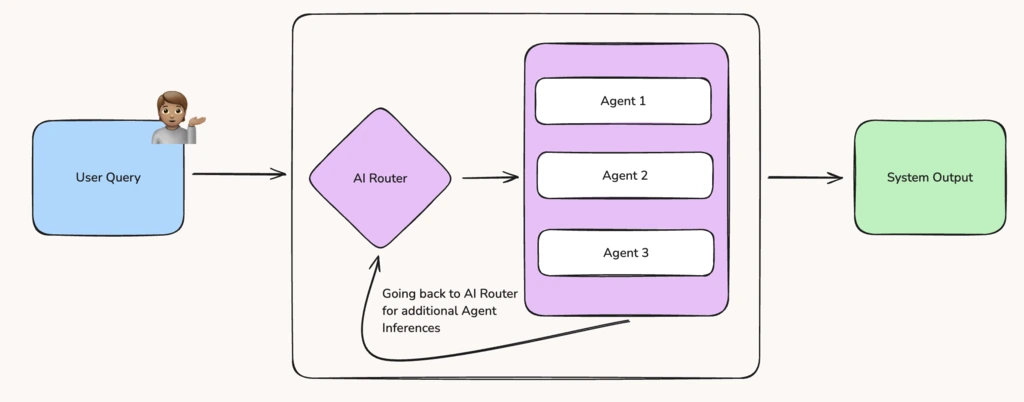
Essentially, it is the brain behind a system you have designed. It saves time, reduces errors, and ensures every task is handled by the right expert.
Conclusion
There are many more AI agent use cases, but most of them feel similar to me. They share the same foundation and mainly differ in the audience or industry they serve.
For example, data extraction and web scraping agents operate on the same principles. One works with documents, the other with web content.
Exploring these basic use cases has been a practical starting point for me. They give you hands-on experience and the confidence to design AI solutions that address your specific needs.
I’d love to hear your thoughts. What’s your experience with AI agents? Drop your perspective in this LinkedIn post.
Thanks!
Also, read: I’m a LinkedIn ghostwriter, and here’s how I keep my work human